
Version 4.3

One tool to package software and drivers with MECM.

One chain: catalogue, security check, automated lab tests, then publication in Configuration Manager — for software and drivers alike.

Try the live demo

A public instance to browse the catalogue, procedures, and pipeline — no install required.

Sign-in
admin@mecmpackagingmanager.com
Password
admin@mecmpackagingmanager.com

Shared demo account — for exploration only.

What it is for

Bring together what used to be scattered: catalogues, silent-install recipes, driver packs, security checks, MECM-ready packages, proof of a lab test, and Software Center publication. One followed chain for packaging teams.

Modules

Each module has a clear job. Together they cover the cycle: catalogue → check → package → validation → deployment.

  • Software catalogue

    The inventory of apps to package: publisher, tracked version, Software Center icon, and the source link. A reminder shows when a record is due for review.

  • Driver packs

    A catalogue to track Driver Packages and detect a new revision.

  • Procedures

    The recipe: install silently, uninstall, and recognise that the app is present.

  • Synchronization

    Check whether a new version exists. Four states: up to date, new version, check failed, never checked.

  • Security check

    Scan the source before packaging. If something looks wrong, the operator decides.

  • Packages

    Build the package ready for MECM: an application or a Driver Package.

  • Lab VM

    Test the install on a Windows machine, then confirm on screen.

  • MECM deployment

    Publish in Configuration Manager: a Software Center application, or a Driver Package, then distribution.

  • Governance

    Sign-in, roles (admin, operator, viewer), activity log. The admin password is changed in the interface.

A typical cycle

Two paths, one tool: a software title, or a driver pack.

Software

From the catalogue to Software Center, with a real lab test.
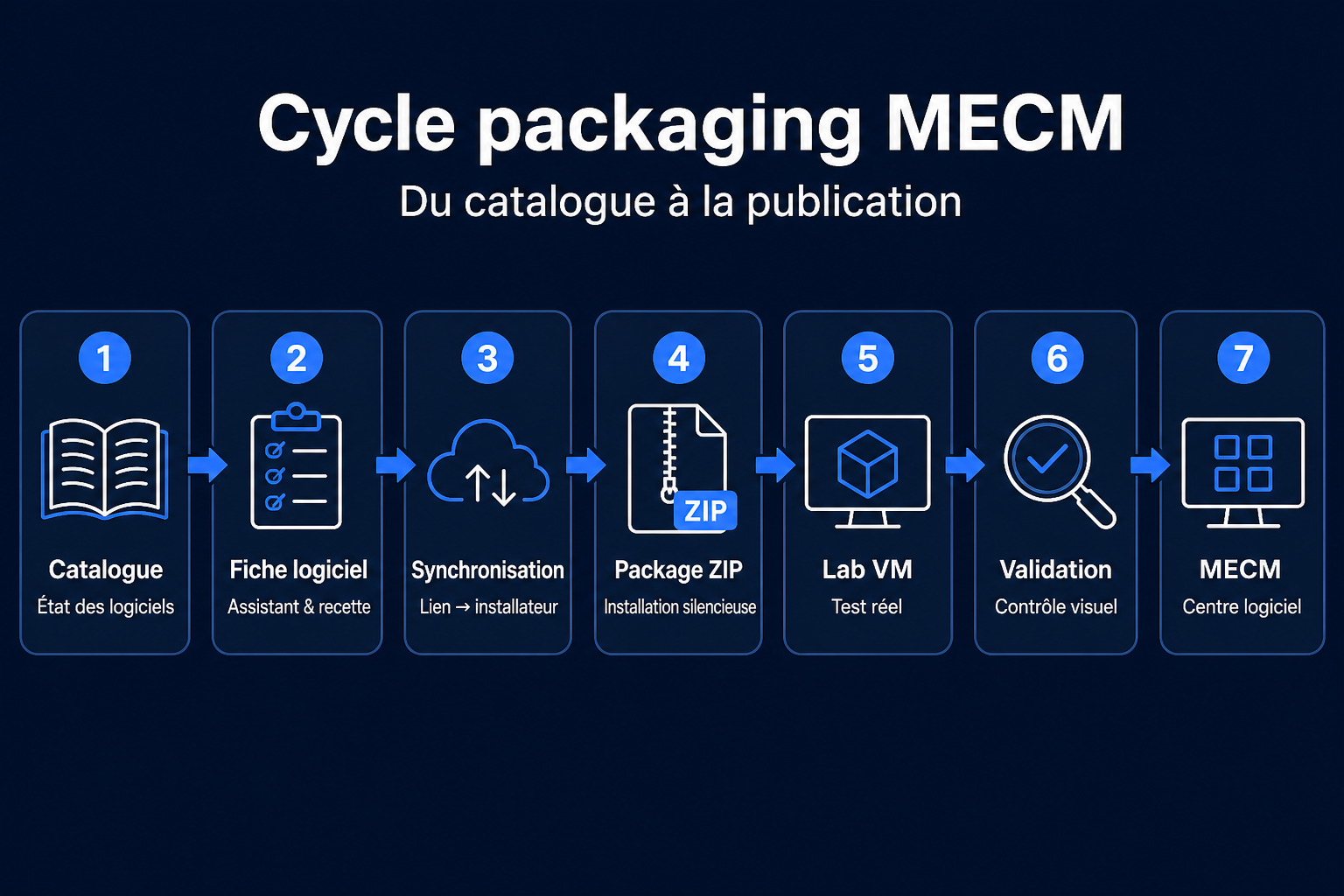
MECM software cycle: catalogue, record, synchronization, ZIP package, lab VM, validation, Software Center
  1. Catalogue

    See what is up to date, what has a new version, and what is due for review.

  2. Software record

    Create or open the record, then start the recipe wizard if there is none yet.

  3. Synchronization

    Re-read the vendor and compare it to the last package.

  4. ZIP package

    Build the silent install and uninstall archive.

  5. Lab VM

    Install the package on the test machine, with live progress.

  6. Validation

    Confirm on screen that the silent install looks right.

  7. MECM

    Publish the application in Software Center, then distribute it.
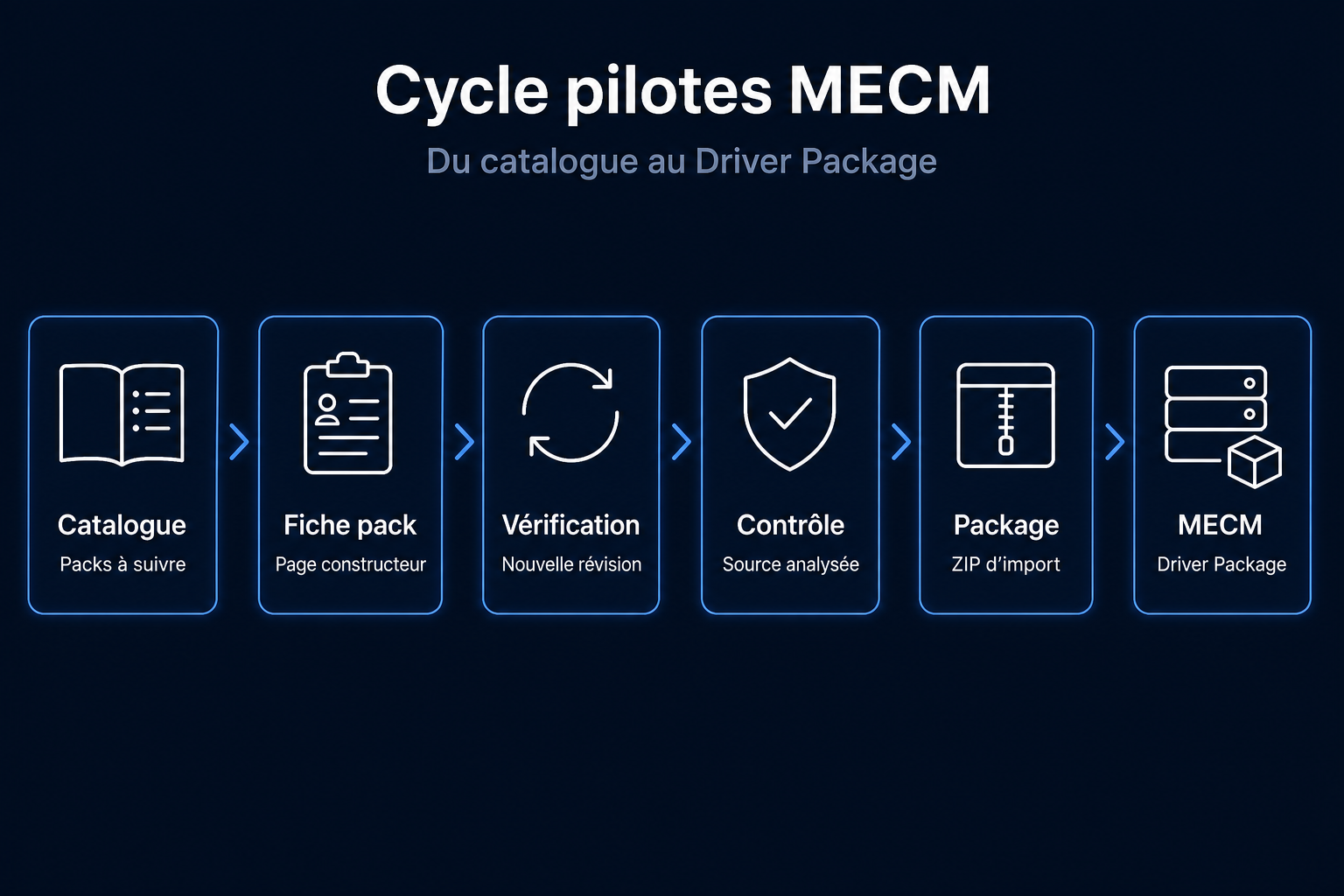
Driver packs

From the catalogue to a Driver Package.

MECM driver cycle: catalogue, pack record, check, security scan, package, Driver Package
  1. Catalogue

    Track packs that are up to date, new revisions, and those never checked.

  2. Pack record

    Create or open the pack record.

  3. Check

    See whether a new revision exists.

  4. Security check

    Check the source before packaging.

  5. Package

    Prepare the MECM import package.

  6. MECM

    Publish the Driver Package, then distribute it.

Install it on your site

The project is public: you can run it on your own site. The GitHub repository explains how to get started and how to connect it to your MECM workshop.

Ready to industrialize packaging?

Software, drivers, security checks, lab, and MECM in one tool. Install your instance from GitHub.